
- An enterprise browser enforces data controls at the application layer, inside the browser session itself, without installing an agent, pushing a profile, or claiming any part of the personal device outside that session.
- The meaningful trade-off versus VDI is cost and latency: browser-based BYOD access pricing varies by vendor and is not publicly disclosed by most, while VDI infrastructure costs are substantially higher per user, and the user experience runs on local compute rather than a streamed pixel.
- The meaningful trade-off versus MDM is scope: the browser controls only what happens inside browser-based applications, so native apps, USB ports, and clipboard activity outside the browser remain outside policy reach.
- Island and Palo Alto’s Prisma Access Browser dominate search, but Venn, Seraphic, LayerX, Citrix, Chrome Enterprise, and Talon (now part of Palo Alto’s Prisma Access Browser product) represent distinct architectural choices worth understanding before you sign anything.
- Employee privacy on personal devices is the most under-discussed rollout blocker: most enterprise browsers can see browsing history, keystrokes, and screen content inside the browser session, and your contractors will ask about this before they install anything.
The best enterprise browsers for BYOD let organizations enforce controls like clipboard restriction, file download blocking, watermarking, and session recording against specific applications, without enrolling the personal device in MDM or spinning up a VDI instance. Island, Palo Alto Prisma Access Browser, Venn, Seraphic, LayerX, Citrix Enterprise Browser, Chrome Enterprise, and Talon are the primary options in this category. Each differs in how deeply it modifies the underlying Chromium engine, what data it collects from the session, and whether the privacy model is defensible enough for a contractor to accept.
Why Most Teams Are Solving BYOD with the Wrong Tool
The standard framing is binary: either you manage the device with MDM, or you give the user a virtual desktop. Both approaches work. Both also carry costs that rarely show up in the initial purchase conversation.
MDM on a personal device is a trust problem before it is a technical problem. An employee or contractor installing a mobile device management profile hands the organization legal authority to wipe the device, see installed apps, and in some configurations read personal data. Most employees will tolerate this reluctantly. Most contractors will not tolerate it at all. Enforcement dropout rates on BYOD MDM programs are high enough that many security teams quietly stop enforcing them rather than lose the workforce they need.
VDI solves the trust problem by keeping all work data inside a virtual machine the organization owns. The user sees pixels, not files. The architecture is sound. The operational cost is not: VDI infrastructure requires compute, storage, and licensing that typically places it well above browser-based alternatives on a per-user basis, vendors in this space do not publish standard list pricing, and actual figures depend on instance sizing, storage, platform licensing, and whether the infrastructure team manages it internally or through a managed service. Latency and experience complaints are persistent. And VDI does nothing for SaaS applications that users access directly, which is where most work actually happens today.
The browser-based approach applies controls at the session layer. The organization does not touch the device. It touches the browser tab. That constraint is also the ceiling: if the work lives in a browser, this model works well. If the work requires a native application, a specialized tool, or direct hardware access, the browser cannot reach it.
How Does an Enterprise Browser Actually Protect Data Without Touching the Device?
The core mechanism is a modified Chromium browser that the organization controls through a policy engine, delivered either as a standalone application or as a browser extension layered on top of an existing browser. Either way, the policy engine sits between the user’s actions and the web application, and it can intercept or block specific operations before they complete.
Concretely, that means the policy engine can prevent the user from copying text from a SaaS application to a personal clipboard, block file downloads to local storage, apply a visible watermark to sensitive pages, restrict printing, block screen capture within the browser window, or record the session for later review. These controls apply to defined applications. They do not apply to the rest of the device.
The privacy boundary matters here. Inside the browser session, the enterprise browser can see everything: URLs visited, keystrokes typed, form fields completed, files dragged, and in some configurations the full screen content. Outside the browser session, on the personal device, the organization sees nothing. That boundary is what makes the privacy argument to employees and contractors, but security teams need to be honest that “inside the session” is a significant surface area. A contractor using an enterprise browser to access a project management tool is also using it to check their personal email if they open it in the same window, unless the policy explicitly segments those sessions.
The SecurityOpsWire BYOD Browser Control Layer Test: Four Questions Before You Buy
Before evaluating specific vendors, security leaders should apply what SecurityOpsWire calls the BYOD Browser Control Layer Test. It does not rank vendors. It reveals whether the control layer actually matches the risk model the organization is trying to address.
Question 1: Where does work actually happen? If 80 percent of the sensitive work your contractors do runs inside SaaS applications that open in a browser, the browser control layer covers most of the exposure. If a meaningful portion of that work runs in native desktop applications, a local IDE, or proprietary client software, the browser controls will have gaps that VDI or endpoint controls would close.
Question 2: What is the contractor’s installation threshold? A standalone enterprise browser requires the contractor to download and install software. A browser extension requires less friction but provides less control depth. Know which one your workforce will actually accept, because a tool nobody installs is not a control.
Question 3: What does the policy engine do when the user opens a personal tab? Some enterprise browsers apply controls only to specific destination URLs or application categories. Others apply controls to the entire browser session regardless of destination. The answer determines how much you are asking the personal device user to give up.
Question 4: What does the vendor’s telemetry actually collect, and where does it go? This is not a theoretical question for a privacy-conscious workforce. The answer should be in the vendor’s data processing agreement, not in a sales deck. Ask for it before the proof of concept.
8 Enterprise Browsers Evaluated for BYOD Security
| Vendor | Deployment Model | BYOD Fit | Privacy Boundary | Public Pricing |
|---|---|---|---|---|
| Island | Standalone Chromium browser | Strong | Session-scoped; device not enrolled | Not publicly disclosed |
| Prisma Access Browser (Palo Alto) | Standalone Chromium browser | Strong | Session-scoped; integrates with Prisma SASE | Not publicly disclosed |
| Venn | Secure enclave (app container) | Strong for BYOD | Enclave-scoped; personal activity outside enclave is invisible | Not publicly disclosed |
| Seraphic | Browser extension or browser | Moderate to strong | Session-scoped | Not publicly disclosed |
| LayerX | Browser extension on any browser | Moderate | Session-scoped; works inside existing browser | Not publicly disclosed |
| Citrix Enterprise Browser | Standalone Chromium browser | Moderate; best when Citrix VDI is already in use | Session-scoped; pairs with Citrix Workspace | Not publicly disclosed |
| Chrome Enterprise | Managed Chrome browser | Limited for unmanaged BYOD | Requires device enrollment for full policy depth | Chrome Enterprise Core: free; Chrome Enterprise Premium: $6 per user per month per Google’s published pricing |
| Talon (now Prisma Access Browser) | Acquired by Palo Alto Networks; product merged into Prisma Access Browser | N/A; product merged into Prisma Access Browser | N/A | N/A |
Island

Island builds its enterprise browser as a heavily modified Chromium fork that the organization controls through a centralized policy console. The BYOD architecture works by having the contractor install the Island browser on their personal device; once inside, the organization’s policy layer governs what can be done with data from designated applications. The device itself is not enrolled anywhere.
Island’s policy controls are more granular than most competitors: administrators can set different policies for different application categories, restrict clipboard behavior between applications, control whether the browser’s developer tools can be opened, and apply watermarks with session metadata embedded. The session telemetry is extensive, which is Island’s strength for security visibility and its complexity for privacy disclosures.
For a BYOD rollout with contractors accessing SaaS applications like Salesforce, Workday, or internal web portals, Island is the most feature-complete option in this list. Pricing is not publicly disclosed; Island quotes per environment based on user count and feature tier.
Prisma Access Browser (Palo Alto Networks)
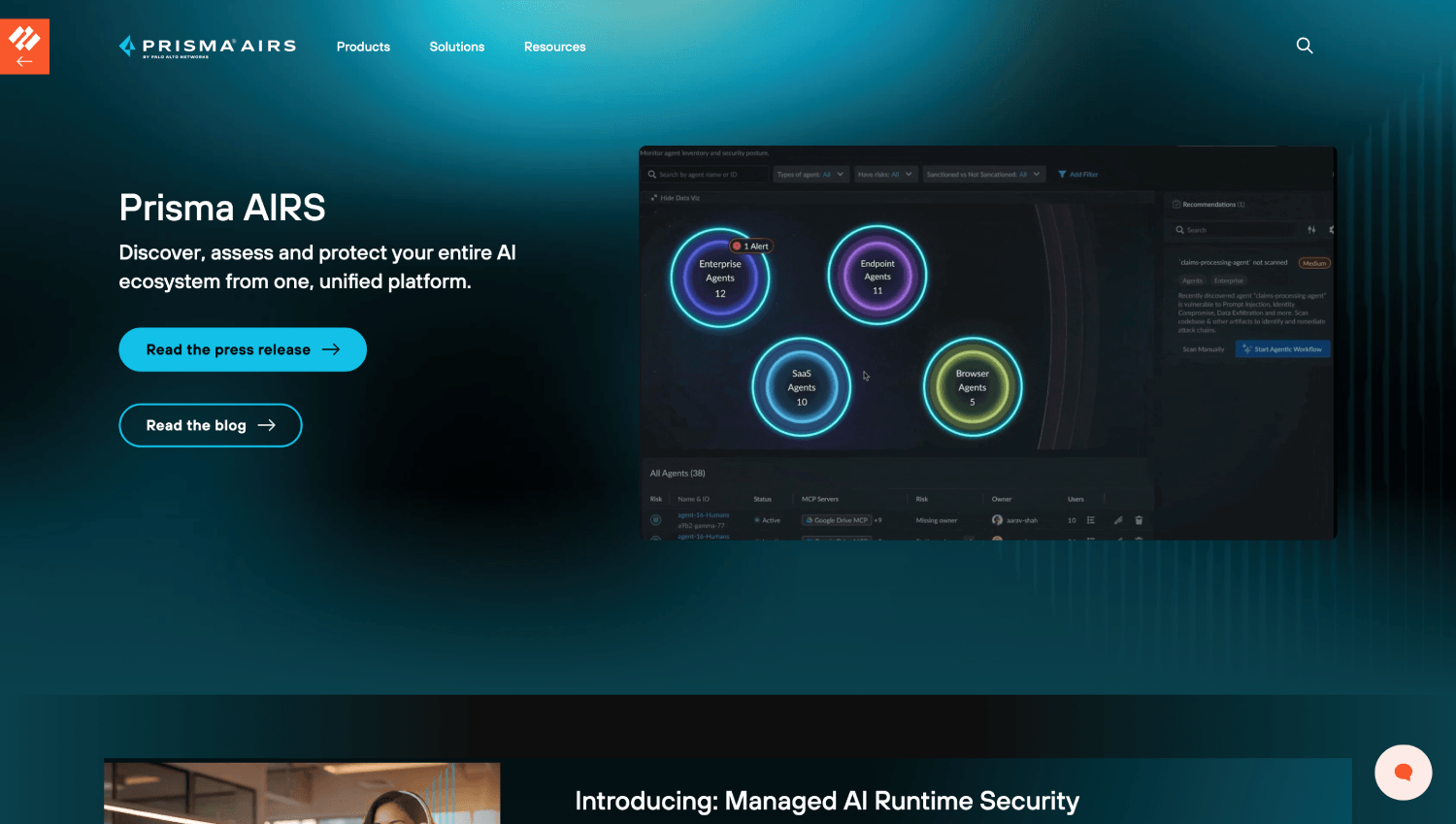
Prisma Access Browser is Palo Alto’s enterprise browser, built substantially from the Talon acquisition. It runs as a standalone Chromium-based browser and integrates directly with Palo Alto’s Prisma SASE stack, which is a meaningful advantage if your organization already uses Prisma Access for network security.
For BYOD specifically, the integration with Prisma SASE means that traffic from the enterprise browser can be routed through the same policy enforcement point as managed device traffic, giving a unified visibility plane rather than separate silos. For organizations that are not already Palo Alto customers, the SASE dependency can be a reason to look elsewhere rather than a reason to buy in. Pricing is not publicly disclosed.
Venn
Venn takes a different architectural position than the other browsers on this list. Rather than a browser alone, Venn runs a secure enclave on the personal device: a sandboxed environment that contains work applications, including a browser, and isolates them from the personal side of the device. Network traffic from inside the enclave is separated from personal traffic. Files downloaded inside the enclave cannot move outside it without policy permission.
The privacy argument for Venn is stronger than for a pure browser product because the enclave boundary is clearer to the employee: the organization sees activity inside the blue border, not outside it. For organizations rolling out BYOD access to a workforce that is vocally skeptical about monitoring, this architectural framing has a practical advantage during onboarding conversations. Pricing is not publicly disclosed.
Seraphic Security
Seraphic can deploy as either a browser extension or a standalone enterprise browser, which gives it more deployment flexibility than vendors that require a full browser replacement. The extension model matters for contractor populations that resist installing new software: if the contractor already uses Chrome or Edge, the Seraphic extension can layer controls on top without replacing their workflow entirely.
The trade-off is control depth. An extension cannot modify the underlying browser’s behavior as thoroughly as a forked Chromium build can. Some controls available in Island or Prisma Access Browser, particularly around developer tools and certain clipboard operations, may be shallower in the extension deployment mode. Seraphic’s documentation should be read carefully for which controls are extension-available versus browser-only. Pricing is not publicly disclosed.
LayerX Security
LayerX is an extension-first product: it installs on top of the user’s existing browser, Chrome, Edge, or Firefox, rather than replacing it. For organizations where the friction of asking contractors to install a new browser is a realistic deployment blocker, LayerX’s extension model may achieve higher adoption rates.
The control set covers the main BYOD data protection use cases: restricting downloads, controlling clipboard behavior, applying watermarks, and monitoring for sensitive data exfiltration through web applications. The coverage is narrower than a full browser replacement because the extension operates within the constraints the browser exposes to extensions, but for many organizations those constraints do not hit the controls they actually need. Pricing is not publicly disclosed.
Citrix Enterprise Browser
Citrix Enterprise Browser is a Chromium-based browser that Citrix positions alongside its Workspace and virtual app delivery platform. For organizations already running Citrix VDI or virtual app delivery, the enterprise browser offers a way to handle lower-risk application access through a browser control layer rather than a full virtual desktop, which reduces compute cost per user for applications that do not need the full VDI treatment.
For a pure BYOD deployment with no existing Citrix infrastructure, the Citrix Enterprise Browser is not the natural starting point. The product’s depth comes from its integration with the broader Citrix Workspace platform; standalone, it does not offer meaningfully more control than Island or Prisma Access Browser, and it carries the overhead of a Citrix relationship. Pricing is not publicly disclosed.
Chrome Enterprise
Chrome Enterprise splits into two tiers: Chrome Enterprise Core, which Google makes available at no charge and covers basic policy management, and Chrome Enterprise Premium, which Google’s published pricing lists at $6 per user per month. The Premium tier adds data loss prevention, threat protection, and reporting capabilities.
The BYOD limitation for Chrome Enterprise is meaningful: the deepest policy controls, particularly around managed user profiles and device-level policy enforcement, require either device enrollment through Google’s device management or an organizational account that the user logs into. A truly unmanaged personal device running Chrome with only a browser-level extension profile will not give the organization the same control depth as Island or Venn. Chrome Enterprise is a reasonable choice for organizations with a managed device fleet that want better browser-layer visibility; it is a limited choice for genuine unmanaged BYOD with contractors.
Talon Cyber Security
Talon was acquired by Palo Alto Networks and the product has been integrated into Prisma Access Browser. Evaluating Talon as a standalone product is no longer relevant. Organizations that were using Talon should be in conversations with Palo Alto about the migration path. New evaluations should look at Prisma Access Browser directly.
How Does the VDI Cost Comparison Actually Work?
Consider a company with 200 contractors who need access to three SaaS applications: a CRM, a project management tool, and an internal ticketing system. All three run in a browser. None require a native client.
Running those contractors through VDI means provisioning 200 virtual desktop instances, licensing the VDI platform, and running the compute infrastructure. VDI vendors do not publish standard list pricing; actual per-user costs depend on instance sizing, storage, platform licensing, and whether the infrastructure team manages the environment internally or through a managed service. The experience for the contractor involves connecting to a remote desktop, dealing with latency, and losing access when the VDI infrastructure has an issue.
Running those same contractors through an enterprise browser means they install a browser or extension on their existing hardware, authenticate once, and access the same three applications through local compute with local network performance. The policy layer travels with the session. The per-user cost is lower. The infrastructure management burden is smaller.
The scenario where VDI still wins: the contractor needs access to a native application, a thick client, a legacy terminal, or any application that does not run in a browser. The browser control layer has nothing to offer there. VDI also wins when the organization needs to prove to an auditor that sensitive data never touched an unmanaged device, because VDI keeps data inside the virtual machine by architecture. The enterprise browser keeps data inside the browser session by policy, and a policy can be misconfigured in ways that architecture cannot.
What Can an Employee Still Do That Policy Cannot Stop?
This question matters for threat modeling, and the answer is more than most vendor pages acknowledge.
A user with access to a sensitive web application inside an enterprise browser can still photograph the screen with a second device. Screen capture restrictions inside the browser window do not affect a phone camera pointed at the monitor. Watermarking helps with attribution after the fact but does not prevent the photograph. This is not a failure of the enterprise browser category; it is the residual risk that exists at the physical layer regardless of software controls, and it exists with VDI too.
A user can also work around browser-based clipboard restrictions in some configurations by pasting content into a browser-accessible tool that then syncs to a personal account, such as a cloud notes application or a web-based email draft. Policy sets should explicitly block or monitor access to personal cloud storage and web-based personal email from within the enterprise browser session.
Keylogging and screen-reader applications running on the personal device at the OS level may be able to capture content from inside the browser window, depending on the OS and the browser’s rendering model. This is a meaningful gap for high-sensitivity environments. VDI closes this gap; the enterprise browser does not, because the data does touch the personal device’s GPU and display stack.
What Is the Privacy Position for a Personal Device, and Why It Will Affect Your Rollout?
Enterprise browser vendors generally make the same privacy claim: the organization sees activity inside the browser session and nothing outside it. That claim is true at the data collection layer. At the perception layer, it is more complicated.
An employee or contractor who installs a new browser application on their personal device and then reads the data processing agreement will find that the vendor can collect URLs visited, keystrokes, form inputs, file operations, and in some cases screen content, all within the session. For a contractor who uses that same browser for personal browsing, or who opens a personal site from within the enterprise browser, those controls apply to that personal activity too. Session segmentation policies that restrict the enterprise browser to work-only URLs are the correct answer, but they require deliberate configuration and they need to be communicated to users before installation, not after.
Several jurisdictions have labor laws that affect monitoring of remote workers on personal devices. California’s constitutional privacy protections, for example, have been interpreted broadly in employment contexts. The general guidance from employment law, which a security leader should verify with legal counsel rather than a vendor’s FAQ, is that disclosed monitoring of company-related work activity on a personally-owned device is generally defensible, while undisclosed monitoring of personal activity is not. The enterprise browser’s session boundary is the policy tool that makes this argument. Configuring it correctly, and documenting that configuration, is not optional.
For a deeper look at how identity and access decisions interact with privacy constraints in contractor-heavy environments, non-human identity security platforms have emerged as a parallel control layer worth understanding alongside browser-based access.
Which Enterprise Browser Fits Which Environment?
| Scenario | Best Fit | Why |
|---|---|---|
| Large contractor workforce, all SaaS work, high policy granularity needed | Island | Deepest control set, purpose-built for unmanaged device access |
| Existing Palo Alto SASE customer adding BYOD coverage | Prisma Access Browser | Single policy plane across managed and unmanaged access |
| Workforce with strong privacy objections to monitoring | Venn | Enclave model provides a visible, defensible boundary to the user |
| Low installation friction is the primary constraint | LayerX or Seraphic (extension mode) | Extension deployment avoids full browser replacement |
| Existing Citrix VDI infrastructure, moving lower-risk apps to browser | Citrix Enterprise Browser | Integrates with existing Workspace; reduces VDI instances for browser-only apps |
| Managed device fleet needing browser-layer DLP | Chrome Enterprise Premium | Cost-effective at $6/user/month per Google’s published pricing for managed device environments |
How Does Browser-Based BYOD Control Fit Into a Broader Zero Trust Architecture?
The enterprise browser is a session-layer control, not a network-layer control. It enforces policy at the point where the user interacts with an application, which is a different position than a network proxy or a ZTNA gateway. They are complementary, not substitutes.
A ZTNA gateway controls which applications an unmanaged device can reach at the network layer. The enterprise browser controls what the user can do with those applications once they are inside the session. Running both gives you defense at two distinct layers. Running only the ZTNA gateway without browser-layer controls leaves the application interaction unmonitored: you know the contractor accessed the CRM, but you do not know whether they exported the full contact list before they logged out.
Organizations building out this architecture often find that the browser control layer generates meaningful detection signals: unusual clipboard volume, bulk download attempts, access to sensitive document categories outside normal hours. Those signals feed into the broader security operations stack. The detection engineering work to build rules on top of browser telemetry is not trivial, and it is worth factoring into the operational cost estimate alongside the per-user licensing fee.
If your organization is also working through how AI agents are accessing the same SaaS applications your contractors use through BYOD, the intersection of session-layer controls and AI agent security platforms is worth mapping before those access patterns create gaps in your control model.
Frequently Asked Questions
What is the best enterprise browser for BYOD specifically?
Island is the most frequently cited choice for pure BYOD scenarios where contractors access SaaS applications on unmanaged personal devices. Its policy engine is purpose-built for this use case, and the device enrollment requirement does not exist. Prisma Access Browser is the better choice if you are already running Palo Alto’s SASE stack and want a single policy plane. For teams where installation friction is the primary obstacle, LayerX’s extension model may achieve higher adoption at the cost of shallower control depth.
Is Chrome Enterprise browser free for BYOD?
Chrome Enterprise Core, which covers basic browser policy management, is available at no charge from Google. Chrome Enterprise Premium, which adds DLP, threat protection, and reporting, is listed at $6 per user per month on Google’s published pricing page. The BYOD limitation is significant: the deepest Chrome Enterprise controls require either device enrollment or a managed Google Workspace account, which limits how much control the organization has over a truly unmanaged personal device running Chrome without those prerequisites.
How does browser-based BYOD security compare to MDM on cost and invasiveness?
Browser-based control is narrower in scope but less invasive. MDM gives the organization authority over the whole device: app inventory, location in some configurations, and the ability to wipe the device. Enterprise browsers limit organizational visibility to the browser session only. On cost, enterprise browsers typically run lower than full MDM deployments when factoring in MDM platform licensing and the management overhead of maintaining device profiles. The practical advantage of the browser approach is contractor acceptance: most contractors will install a browser they do not already use before they will accept MDM enrollment on a personal device.
What personal data can an enterprise browser see on my device?
An enterprise browser can collect data only within its browser session: URLs visited, form inputs, keystrokes, file operations, clipboard content, and in some configurations screen content. It cannot read files stored outside the browser, see other applications running on the device, access the camera or microphone outside of browser-initiated requests, or enumerate hardware connected to the device. The privacy boundary holds at the session edge, but the session itself is a significant surface area. Users should read the vendor’s data processing agreement and ask specifically what telemetry is collected, retained, and shared with the employer before installing.
Can an enterprise browser prevent a contractor from photographing the screen?
No software control prevents physical screen photography. Watermarking is the compensating control: a visible or invisible watermark embeds session metadata, user identity, and timestamp into the displayed content, which allows attribution after a screenshot or photograph is taken and disclosed. The watermark does not prevent the disclosure; it creates an evidence trail if one occurs. For environments where physical exfiltration risk is high, the residual risk of camera-based capture exists regardless of the security control layer in use, including VDI.
Does an enterprise browser replace VDI?
For application access that runs entirely in a browser, an enterprise browser can replace VDI and will typically cost less per user while delivering better performance because it runs on local compute. For native applications, legacy thick clients, and use cases where data must provably never touch the unmanaged device, VDI remains the correct architecture. The practical path for most organizations is to run an audit of what applications their contractors actually use, move the browser-based ones to an enterprise browser, and shrink the VDI footprint to the applications that genuinely require it.
What happened to Talon Cyber Security?
Palo Alto Networks acquired Talon Cyber Security and integrated the product into Prisma Access Browser. Talon is no longer available as a standalone product. Organizations evaluating enterprise browsers should assess Prisma Access Browser directly rather than looking for Talon as a separate option.
How does browser-based BYOD security interact with SIEM and detection engineering?
Enterprise browsers generate session telemetry that security teams can route to a SIEM or XDR platform: access logs, policy violation events, data exfiltration attempts, and session metadata. The detection engineering work to write useful rules on top of this telemetry is not included in the browser license. Teams need to treat browser telemetry as a new log source that requires tuning, baseline development, and alert design, just as they would for a new endpoint or network data source. For teams already running detection-as-code workflows, the browser telemetry schema should be documented and mapped before deployment, not after the first alert fires. Those running data security posture management tools alongside their SIEM will find that browser session signals complement DSPM’s data-at-rest visibility with data-in-use behavioral context.
The Decision That Actually Matters Before Deployment
The vendor selection is the second decision. The first is agreeing internally on what the browser control layer is being asked to do, and what it is explicitly not being asked to do. Organizations that deploy an enterprise browser expecting it to cover risks that only MDM or VDI can address will have a gap they discover post-deployment rather than pre-deployment. The audit of application types, the assessment of contractor installation tolerance, the legal review of monitoring disclosures in the relevant jurisdictions, and the configuration of session segmentation policies: all of these belong in the planning phase, not the remediation phase.
The privacy question is where most rollouts run into resistance, and it is the question that vendor marketing pages handle least honestly. Contractors are not employees, and many of them have worked in environments before where monitoring expanded beyond the disclosed scope. A clear, written description of exactly what the browser can and cannot see, delivered before installation rather than buried in a terms of service, will reduce dropout rates more than any feature comparison will.
For security teams already working through how identity controls intersect with unmanaged access, the enterprise browser sits in the same architectural layer as session management and application-layer policy enforcement. Teams building out zero trust access for contractors may also want to map how enterprise browsers work across a broader range of secure work scenarios beyond the BYOD context, and how remote browser isolation compares for environments where the threat model centers on inbound web content rather than data exfiltration.
The browser control layer is not a complete BYOD security program. It is a well-scoped tool for a well-defined problem: controlling what users can do with organizational data inside browser-based applications, without claiming the device that browser runs on. That scope, stated plainly and matched to the actual risk, is the evaluation criterion that matters most.