
- Snowflake’s native governance controls manage who can access data, but they do not tell you what sensitive data exists, in which table, or who effectively reaches it through a chain of inherited roles.
- DSPM for Snowflake closes that gap by classifying data inside Snowflake without exporting rows, then resolving Snowflake’s role hierarchy to produce an effective-access map that native tooling cannot generate.
- Scanning Snowflake via a DSPM tool consumes warehouse compute credits. The cost of a single classification pass depends on scan depth, sampling strategy, and whether the tool creates its own virtual warehouse or borrows yours.
- The platforms that matter here are BigID, Cyera, Securiti, Sentra, Satori, Immuta, Varonis, ALTR, and Proofpoint (via Normalyze). Each makes different trade-offs on scan depth, credit consumption, and how tightly they integrate with Snowflake’s dynamic data masking and row access policy layers.
- Before buying any of these, run one classification pass against a single non-production Snowflake database with credit monitoring on. That single test will tell you more about operating cost than any vendor demo.
The nine DSPM platforms best suited for Snowflake security are BigID, Cyera, Securiti, Sentra, Satori, Immuta, Varonis, ALTR, and Proofpoint (via the Normalyze connector). Each connects to Snowflake natively, classifies sensitive data without exporting rows, resolves Snowflake’s role hierarchy into effective-access paths, and to varying degrees can enforce controls through dynamic data masking or row access policies. Credit consumption during scanning is the operating cost most teams discover after deployment, not before.
Why Snowflake’s Native Governance Does Not Replace DSPM
Snowflake ships with classification tooling. Snowflake’s native sensitive data classification system scans column metadata and samples data to assign semantic categories: email addresses, Social Security numbers, credit card numbers, and similar patterns. It feeds into Snowflake’s tag-based policies and integrates with object tagging. For teams that only need column-level tagging within a single account, it covers a lot of ground.
What it does not do: produce a cross-account, cross-database view of where sensitive data lives. It does not resolve Snowflake’s layered role model into a human-readable map of who effectively reaches a tagged column. A user with SYSADMIN can grant access to themselves or another role without that action surfacing as an alert outside of Snowflake’s own audit log. And native classification does not correlate access to sensitive columns with actual query history to tell you who has queried PII in the last 90 days and what they did with it.
That gap is precisely the DSPM job. Data Security Posture Management, as a category, addresses three questions Snowflake native tooling leaves unanswered: What sensitive data exists and where exactly? Who can reach it, accounting for all inherited permissions? Is anything misconfigured or overexposed? External DSPM tools do not replace Snowflake’s governance layer. They map on top of it to answer the security posture questions that governance tooling was not designed to answer.
How Do These Tools Classify Inside Snowflake Without Exporting Data?
Most DSPM platforms connect to Snowflake through a dedicated service account with read-only privileges, then execute SQL queries directly against Snowflake to sample column data. The data never leaves Snowflake’s compute boundary. Pattern matching, regular expression evaluation, and ML-based classification run inside Snowflake’s warehouse, using SQL that the DSPM tool pushes down. Results return as metadata: table name, column name, classification label, confidence score. No PII rows are transmitted to the vendor’s infrastructure.
This architecture is often described as “in-warehouse scanning” or “pushdown classification.” The distinction matters because it is where warehouse credit consumption originates. Every SQL query the DSPM tool runs against a Snowflake warehouse draws credits. A tool that samples 1,000 rows per column across a warehouse with 50 tables and 400 columns is running a different volume of queries than one that samples 100 rows and terminates early on pattern match. Neither number is inherently right. Shallow sampling misses sparse PII; deep sampling increases credit spend.
Some platforms, notably Normalyze (whose Snowflake Marketplace connector is listed in the Marketplace), operate directly within the Snowflake data sharing model. That integration means classification queries run inside the customer’s own account rather than requiring data movement or a separate compute environment. BigID similarly supports Snowflake as a native connector and publishes documentation on its DSPM control for the platform.
What Does Scanning Actually Cost in Snowflake Credits?
This is the question almost no vendor answers directly in their documentation, and it is the most important operating-cost question a buyer should ask before signing a contract.
Snowflake bills compute by the second against virtual warehouse size. A single X-Small warehouse costs 1 credit per hour. Scaling up to a Medium warehouse costs 4 credits per hour. Credit prices vary by cloud provider, region, and edition; Snowflake’s pricing page lists current rates and Snowflake does not publish a single universal per-credit figure. That variance is the baseline for estimating scan cost, but the actual cost depends entirely on how the DSPM tool structures its queries.
Consider a straightforward illustrative scenario. Say a team runs a first-time classification pass against a Snowflake database with 200 tables, averaging 30 columns each, so 6,000 columns total. A DSPM tool that samples 500 rows per column and runs column scans sequentially on an X-Small warehouse will hold the warehouse active for the duration of the scan. If each column scan takes two seconds of warehouse time on average (a reasonable estimate for a simple SELECT SAMPLE query on a warm, mid-size table), 6,000 scans at two seconds each equals roughly 3.3 warehouse-hours. At 1 credit per hour for an X-Small, that is 3.3 credits for the compute alone. Multiplied by your contracted per-credit rate , which you can read from your Snowflake contract or Snowflake’s pricing page , the cost of that scan will be a small-dollar figure for most accounts. Scaled to a warehouse with 2,000 tables and higher column counts, or run against a large warehouse that auto-scales, credit spend grows proportionally and can reach hundreds of dollars for a deep initial scan.
The practical test: create a dedicated X-Small warehouse for DSPM scanning, set a resource monitor with a credit quota and a suspension trigger, then run the vendor’s classification job against one database. Read the credit consumption from Snowflake’s resource monitor report before running it across all databases. Most DSPM vendors will help configure this. If a vendor cannot tell you how to constrain scanning to a specific warehouse, that is a meaningful due diligence finding.
How Do These Platforms Map Snowflake Roles to Actual Data Access?
Snowflake’s role model is hierarchical. A user can have multiple roles. Roles can contain other roles. A SYSADMIN-level role grants access to everything not explicitly protected by a stricter policy. The effective access any user has to a given column is the union of all privileges inherited through every role they are granted, directly or transitively. Snowflake’s native ACCOUNTADMIN view exposes grants, but computing effective access for a specific user against a specific column requires walking the full role graph.
DSPM tools address this by ingesting Snowflake’s INFORMATION_SCHEMA grant tables and SHOW GRANTS output, then building a privilege graph internally. A user identity maps to one or more roles, each role maps to database-level and schema-level privileges, and those resolve against the specific classified columns. The output is an access-risk view: “User X, through inherited role Y, has SELECT access to table Z, which contains columns classified as PII.” That is the mapping Snowflake’s own UI does not produce without custom SQL.
Platforms differ in how deeply they resolve this graph. Some stop at direct role grants and miss transitive inheritance chains three or four levels deep. Others resolve the full graph and surface what a user can access that they have never actually queried, which is the privilege drift problem. Sentra and Cyera both emphasize effective-access mapping in their Snowflake-related documentation. Varonis has long built its data security model around access path analysis, and that methodology carries into its Snowflake support. Asking a vendor to demonstrate effective-access resolution across a five-level role hierarchy in a demo environment is a reasonable evaluation step.
Which Platforms Support Snowflake’s Dynamic Masking and Row Access Policies?
Snowflake supports two enforcement mechanisms that DSPM tools can write to or read from. Dynamic data masking allows a column to display differently depending on the querying role: full value for authorized roles, masked or hashed for everyone else. Row access policies filter which rows a user sees at query time based on a mapping table or policy expression. Both are enforced at the Snowflake query engine level and apply regardless of the tool or method used to query.
A DSPM platform that only reads Snowflake access metadata is a posture assessment tool. One that can write masking policies based on its classification results closes the loop from discovery to enforcement. Immuta, which has long focused on data access control for analytics platforms, integrates with Snowflake to manage policy enforcement at the row and column level. Satori offers data discovery, classification, database activity monitoring, and data access management with support for dynamic masking and policy enforcement against Snowflake. BigID’s DSPM control for Snowflake focuses more on classification and DLP coverage, with policy enforcement relying on Snowflake’s native controls being configured separately or through integration.
The useful distinction is between tools that report on policy gaps and tools that can remediate them. For teams with a strong Snowflake admin who can translate DSPM findings into masking policy SQL, a read-only posture tool is sufficient. Teams that want automated policy creation based on classification output need a platform like Immuta or Satori that is designed for that control layer.
The 9 DSPM Platforms for Snowflake Security
BigID
BigID is one of the most frequently cited DSPM platforms for Snowflake. It connects via a native Snowflake connector, classifies sensitive data in-warehouse, and surfaces data risk findings without exporting data. Its documentation describes DLP controls for Snowflake that include policy-based access scanning and sensitive data discovery. BigID supports Snowflake at the column, table, and database levels and integrates with Snowflake’s tag-based governance framework. For organizations already using BigID across multi-cloud environments, the Snowflake connector fits into an existing data catalog and risk workflow. Pricing is not publicly disclosed. BigID quotes by environment size and feature set.
Cyera
Cyera targets enterprise data security with a cloud-native architecture. Its Snowflake support includes automated data discovery, classification, and access analysis, with a focus on producing the effective-access map that resolves Snowflake’s role hierarchy. Cyera surfaces overexposed sensitive data and tracks access trends over time, which supports both posture reporting and access right-sizing decisions. The platform is designed for security teams that are not Snowflake experts. It abstracts the underlying grant model into a risk-framed view. Pricing is not publicly disclosed.
Securiti
Securiti approaches data security from a data governance angle, combining classification with privacy and compliance workflow support. Its Snowflake integration covers sensitive data discovery, data lineage tracking within Snowflake, and access intelligence. Securiti’s strength is in organizations with heavy compliance requirements such as GDPR, HIPAA, or CCPA, where classification results need to feed into data subject request workflows and data inventory records. If the primary driver is regulatory data mapping rather than pure security posture, Securiti’s governance-heavy approach fits better than a pure security posture tool. Pricing is not publicly disclosed.
Sentra
Sentra is built specifically for cloud-native data environments and treats Snowflake as a primary target, not an afterthought. Its scanning model is designed to minimize warehouse credit consumption by using intelligent sampling: it identifies table size, estimates column cardinality, and adjusts sample depth before running queries. Sentra’s access analysis resolves transitive role inheritance and surfaces privilege paths to sensitive data. It also tracks data movement, which matters for Snowflake environments where data is shared across accounts or copied between stages. Pricing is not publicly disclosed.
Satori
Satori offers data discovery, classification, database activity monitoring, and data access management with support for dynamic masking and policy enforcement. It classifies data by observing query patterns and metadata and can enforce masking at query time based on user identity and data sensitivity. For teams that want real-time enforcement rather than periodic posture scans, Satori offers a different architectural trade-off focused on access control rather than point-in-time scanning. Pricing is not publicly disclosed.
Immuta
Immuta is purpose-built for policy-based data access control on platforms including Snowflake. It integrates directly with Snowflake’s native policy framework and can write and manage dynamic masking policies and row access policies through its own policy engine. Classification is part of the Immuta workflow, but the platform’s differentiation is in policy authoring and enforcement, particularly for teams that need attribute-based access control across multiple data platforms simultaneously. Immuta fits organizations running Snowflake alongside Databricks or Starburst that want a single policy layer across all three. Pricing is not publicly disclosed.
Varonis
Varonis extends its on-premises and SaaS data security model to Snowflake. Its approach is built on access rights analysis and user behavior monitoring. For Snowflake, Varonis ingests metadata, classifies sensitive data, resolves the role hierarchy, and monitors query activity to detect behavioral anomalies. Its strength relative to newer cloud-native DSPM platforms is in organizations that already run Varonis for file shares, SharePoint, or Exchange and want to extend coverage to Snowflake without deploying a second platform. The query behavior monitoring capability, which tracks who is querying sensitive columns and at what volume, is more mature in Varonis than in newer entrants. Pricing is not publicly disclosed.
ALTR
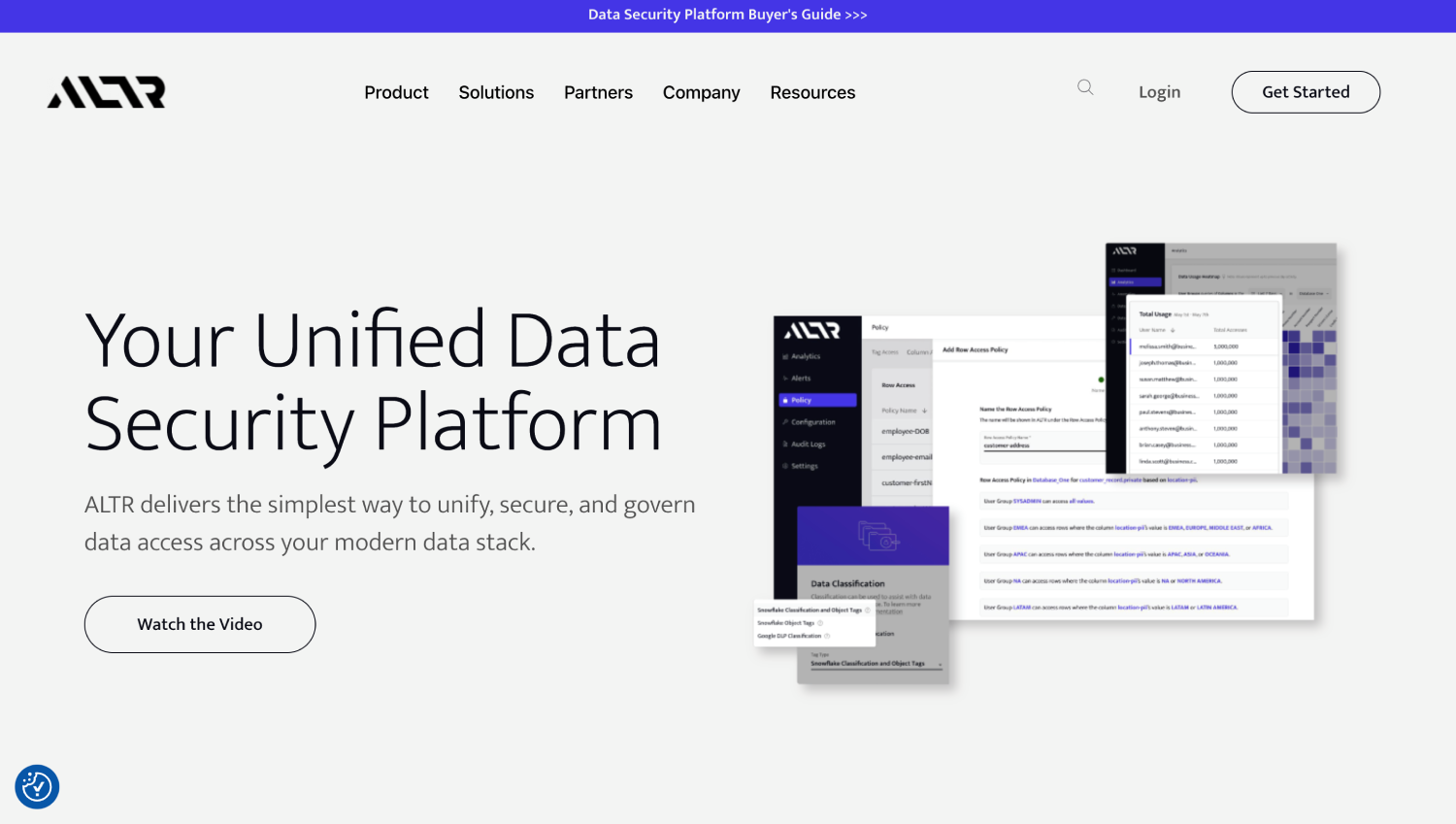
ALTR focuses specifically on Snowflake and a handful of other cloud data platforms. Its native Snowflake Driver integration means it sits in the query path without requiring a proxy server, allowing it to apply data controls at the driver level. ALTR supports rate limiting on sensitive data access, which is a capability few other platforms offer: if a user starts bulk-selecting PII columns at an unusual rate, ALTR can throttle or block the queries. For security teams concerned about insider data exfiltration from Snowflake, the rate limiting and real-time governance model is a distinct capability. ALTR also provides classification and access policy management. Pricing is not publicly disclosed.
Proofpoint (via Normalyze)

Proofpoint offers a DSPM platform that incorporates the Normalyze connector, which is listed in the Snowflake Marketplace and operates within the Snowflake data-sharing model for Standard Edition accounts and above, running classification directly inside the customer’s Snowflake environment. This architecture minimizes data egress and keeps scanning compute inside the customer’s account boundary. The product is positioned within Proofpoint’s broader information protection portfolio. Pricing is not publicly disclosed.
Platform Comparison: Snowflake-Specific Capabilities
| Platform | In-Warehouse Scanning | Role Hierarchy Resolution | Dynamic Masking Policy Write | Row Access Policy Write | Query Behavior Monitoring | Snowflake Marketplace Connector |
|---|---|---|---|---|---|---|
| BigID | Yes | Yes | No (reads; enforces via native controls) | No | Partial | No |
| Cyera | Yes | Yes | No | No | Yes | No |
| Securiti | Yes | Yes | No | No | Partial | No |
| Sentra | Yes | Yes | No | No | Yes | No |
| Satori | Proxy-based | Yes | Yes (proxy enforcement) | Yes (proxy enforcement) | Yes | No |
| Immuta | Yes | Yes | Yes (native Snowflake policy) | Yes (native Snowflake policy) | Yes | No |
| Varonis | Yes | Yes | No | No | Yes (mature) | No |
| ALTR | Driver-level | Yes | Yes (driver enforcement) | Yes (driver enforcement) | Yes (rate limiting) | No |
| Proofpoint/Normalyze | Yes | Yes | No | No | Partial | Yes |
The capability flags above reflect publicly documented or vendor-stated capabilities based on available product documentation. Verify current feature availability with each vendor before committing to a contract, as product capabilities in this category shift with quarterly releases.
The SecurityOpsWire Snowflake DSPM Credit Consumption Test
This is the evaluation step most buyers skip and most vendors hope you do not ask about. Here is a structured way to run it before you buy.
First, create a dedicated virtual warehouse in Snowflake named something like DSPM_SCAN_WH. Set it to X-Small size. Then create a resource monitor tied exclusively to that warehouse with a credit quota set to 5 credits and a suspend action at 100 percent of the quota. This gives you a hard ceiling on what the trial scan can cost.
Second, grant the DSPM tool’s service account access to the dedicated warehouse only. Grant SELECT on the target database. Do not grant ACCOUNTADMIN or SYSADMIN during this phase. Run the classification job against one database of moderate size, for example 50 to 100 tables.
Third, after the scan completes, query Snowflake’s WAREHOUSE_METERING_HISTORY view to read the exact credit consumption against DSPM_SCAN_WH. Multiply by the per-credit rate in your Snowflake contract to get the per-database scan cost. Extrapolate across your full warehouse estate to get the annualized scanning cost before you agree to a price with the vendor.
Ask each vendor how often they recommend re-scanning and whether they support event-driven scanning triggered by DDL changes rather than scheduled full scans. A tool that only supports scheduled full scans will accumulate credit costs on a fixed schedule regardless of whether anything changed. Event-driven scanning, triggered when a new table or column appears, consumes credits only when there is a classification-relevant change.
Which Platform Fits Which Team?
For a security team that already runs Varonis for file-based data and wants to extend into Snowflake without a new platform: Varonis. The user behavior monitoring capability transfers well to the analytics environment, and the team will not need to learn a new workflow.
For a team that needs to write and manage dynamic masking and row access policies centrally, especially across Snowflake plus one other analytics platform: Immuta. Its policy engine is the most mature in the group for this specific use case.
For a team with insider data exfiltration risk in Snowflake, particularly environments where analysts bulk-export data through BI tools or direct SQL: ALTR’s rate limiting at the driver level is the most direct technical control available without restructuring Snowflake roles.
For a team buying their first DSPM tool and prioritizing breadth of cloud data source coverage alongside Snowflake: BigID or Cyera. Both cover multi-cloud data estates and treat Snowflake as one source among many rather than requiring a Snowflake-specific deployment.
For an organization with a Snowflake Standard Edition account that wants the lowest-friction entry point: the Proofpoint/Normalyze Marketplace connector reduces deployment complexity by operating within the Snowflake data sharing model. For teams with more complex environments, the broader Normalyze/Proofpoint platform offers deeper capability.
Teams with active AI workloads connecting to Snowflake as a data source should also consider how the DSPM tool’s classification results feed upstream. If LLM pipelines or AI agents are reading from Snowflake tables, knowing which tables contain PII before those pipelines run is a prerequisite for responsible AI deployment. For context on the broader data and identity risk surface that AI agents create, the SecurityOpsWire DSPM platform comparison covers the full multi-cloud DSPM category, and our coverage of non-human identity security platforms addresses the service account and machine identity risk that Snowflake integrations often introduce.
Frequently Asked Questions
Does running a DSPM scan affect Snowflake query performance for other users?
If the DSPM tool scans using a dedicated virtual warehouse, it does not share compute with production query warehouses, and performance impact on other users is minimal. The risk comes when a vendor configures scanning against a shared or production warehouse. Always require the vendor to use a dedicated warehouse for scanning, sized appropriately for the scan workload, and confirm this in the deployment configuration before go-live.
Can a DSPM tool see data protected by Snowflake’s dynamic data masking?
A DSPM service account with a role that does not have masking policy exemptions will see masked values when querying masked columns, just as any non-privileged role would. To classify the underlying data, the service account either needs a role granted masking policy exemption or the DSPM tool needs to use a different mechanism such as Snowflake’s INFORMATION_SCHEMA or governance classification functions. Most DSPM vendors address this in their onboarding guide. Verify how each vendor handles masked columns before assuming their classification results are complete.
How do DSPM tools handle Snowflake data shares and external tables?
Inbound data shares, where your account consumes data from another Snowflake account, are queryable through the standard SQL interface and most DSPM tools can scan them if the service account has privileges on the shared database. External tables, which read data from cloud object storage via a stage, are scanned differently. Some DSPM tools follow the external table definition back to the underlying storage and scan there. Others classify based on what Snowflake returns from an external table query. The distinction matters for completeness. Confirm coverage with the vendor.
What Snowflake permissions does a DSPM service account need?
At minimum: a dedicated role with USAGE on the databases and schemas to be scanned, SELECT on all tables and views in scope, and the ability to run SHOW GRANTS to read the privilege graph. For classification of column metadata, REFERENCES privilege may be sufficient on some platforms. For query history ingestion, the role needs access to SNOWFLAKE.ACCOUNT_USAGE views, which requires the SNOWFLAKE database privilege. Avoid granting ACCOUNTADMIN or SYSADMIN to the DSPM service account. Principle of least privilege applies directly here, and most vendors publish a specific permission set in their Snowflake connector documentation.
Does DSPM scanning work on Snowflake Snowpark or UDF-based data processing?
DSPM tools classify data at rest in Snowflake tables and views. Data processed ephemerally in Snowpark sessions or through user-defined functions does not persist in a scannable form unless it is written back to a table. If a Snowpark pipeline ingests raw PII and writes a transformed output to a table, the DSPM tool will classify the output table. The Snowpark session itself is not a classification target. This is a gap worth noting for organizations with heavy Snowpark workloads that handle sensitive data in-flight.
How should security teams think about DSPM alongside Snowflake’s own classification features?
Snowflake’s built-in classification is column-scoped, single-account, and designed to feed its tag-based governance system. External DSPM tools add cross-account visibility, role graph resolution, behavioral monitoring, and integration with the broader security stack including SIEM and identity governance platforms. The two are complementary. A reasonable starting point is using Snowflake’s native classification to tag columns, then deploying a DSPM tool to answer the access posture and behavioral monitoring questions that native tooling does not address. That sequencing also reduces DSPM scanning credit consumption because the vendor does not need to re-derive classifications that Snowflake has already tagged.
Conclusion
Snowflake’s governance controls are genuinely well-designed for what they do. Access control, dynamic masking, and row access policies give data platform teams real enforcement mechanisms. Where the native stack ends is exactly where the security posture question begins: what sensitive data is in this warehouse, which roles effectively reach it including through chains of inheritance no one consciously designed, and has anyone been querying it in ways that should have triggered a review?
Answering those questions requires a tool that can walk the role graph, classify at column depth, and report findings in a form a security team can act on, not just a data team. The credit consumption angle is not a minor footnote. It is the operating cost that determines whether security can afford to scan frequently enough to catch new sensitive data as the warehouse grows. The difference in per-scan credit cost between a well-optimized DSPM tool and a poorly optimized one can be substantial at scale , which is precisely why the credit consumption test described above, run against one database with a hard resource monitor ceiling, is the single most valuable evaluation step a buyer can take. Neither the low nor the high end of that range appears in any vendor’s sales deck.
For teams building out a broader data security program that extends beyond Snowflake, the Snowflake posture question connects to a wider set of problems: how AI agents and non-human identities access sensitive data in the warehouse, and how classification results feed the policies that govern those access paths. Our coverage of DSPM tools for Azure environments and the risks created by machine identity sprawl in cloud data pipelines addresses those adjacent problems directly. The data security posture problem does not stop at the Snowflake account boundary, and neither should the tooling decision.