
TLDR
- Splunk’s own AI features handle natural-language search and some alert summarization, but they run on the same search infrastructure as everything else, so an AI agent querying Splunk at machine speed generates search load that maps directly to your license.
- Third-party AI SOC tools vary dramatically in how they pull Splunk data: some execute ad hoc SPL searches, some cache and pre-aggregate, and some bypass Splunk entirely by reading from a secondary data store. That architectural difference determines your bill, not the vendor’s feature sheet.
- Splunk Enterprise Security and raw Splunk have different integration surfaces. Several tools in this list connect only to the ES notable event queue, not to raw index searches, which changes both coverage and cost.
- The right integration model for your environment depends on your ingest volume, your Splunk licensing type (workload-based versus ingest-based), and how many alerts the AI agent will investigate per day.
- Run a search-load estimate before any pilot: multiply the agent’s expected daily alert volume by the average SPL query count per investigation, then check that against your current workload license headroom
The best AI SOC tools for Splunk environments are Splunk’s own agentic AI capabilities for teams fully committed to the Splunk platform, Dropzone AI and Intezer Analyze for autonomous triage with low Splunk search overhead, Torq for SOAR-style orchestration with precise control over when Splunk is queried, and Prophet Security, Radiant Security, and Qevlar AI for teams that want an AI analyst layer that works with the ES notable event queue. The right choice depends less on features and more on how each tool’s query behavior maps to your Splunk licensing model.
Why the AI SOC and Splunk Cost Conversation Are the Same Conversation
Security teams evaluating AI SOC tools for Splunk environments almost always start with the capability question: can it triage phishing alerts, correlate endpoint telemetry, and generate an incident summary? The licensing question arrives later, usually when the first month’s Workload Management Unit or ingest overage report lands.
A human analyst investigating a notable event might run three to eight SPL searches: pull the alert context, look up the user’s recent activity, check for related events in a time window, maybe pivot on an IP. An AI agent doing the same investigation automatically, on every alert, at all hours, can run those same searches continuously. At 200 alerts per day with six SPL queries per investigation, that is 1,200 searches per day that did not exist before the integration went live.
Splunk’s Workload-Based Licensing (WBL) model charges based on compute resources consumed, not purely on data volume. Under WBL, a high-frequency AI query pattern that pulls small datasets repeatedly can still drive meaningful cost increases depending on how searches are scheduled and whether they hit hot, warm, or cold buckets. Under traditional ingest-based licensing, the search cost is indirect but real: search concurrency limits and ad hoc queries slow down dashboards and human analysts during peak hours, which creates operational pressure to upgrade capacity.
This is the framing that no vendor’s integration page addresses, and it should be the first question in any Splunk AI SOC pilot design.
The SecurityOpsWire Search Load Model: What to Calculate Before You Pilot
Before evaluating specific tools, build a baseline estimate using what we call the Search Load Model. It has four inputs.
- Daily alert volume: How many notable events or raw alerts does your Splunk environment generate per day that the AI layer will touch?
- SPL queries per investigation: Does the tool document how many searches it runs per alert? Ask the vendor directly. If they cannot answer, run a ten-alert proof of concept and count the searches in Splunk’s Job Inspector or Activity Monitor.
- Data freshness requirement: Does the tool require real-time queries against the Splunk index, or can it work from a pre-built lookup, a cached summary index, or the ES notable event queue without re-querying raw data?
- Licensing model: Are you on ingest-based, WBL, or Splunk Cloud with a specific tier? Each responds differently to query volume spikes.
Take a mid-size security team running Splunk Enterprise Security, ingesting 200GB per day, generating 300 notable events daily. If an AI SOC tool runs eight SPL queries per alert and all 300 alerts are investigated automatically, the team adds 2,400 machine-generated searches per day. If those searches run against raw indexes rather than summary indexes, the compute hit is substantial. If they run against pre-computed summary indexes or the ES enrichment cache, it is close to zero. That one architectural question is worth more than any feature comparison.
What Does Splunk’s Own Agentic AI Actually Cover?
Splunk has built agentic AI capabilities into its platform, which it describes on its AI product page as spanning areas including alert triage, investigation guidance, detection building, and malware analysis. These capabilities run natively inside the Splunk platform, and the Splunk AI Assistant is the natural-language interface layer that lets analysts query data and run investigations using plain English rather than SPL. Splunk uses “AgenticOps” on that page as a conceptual framework describing its approach to agentic AI, rather than as a named product SKU.
The practical coverage is narrower than the positioning suggests. As of Splunk’s current product documentation, the AI Assistant can translate natural-language queries into SPL and summarize search results, which reduces the SPL fluency barrier for tier-1 analysts. The agentic investigation capabilities are more tightly scoped: they work inside the Splunk ES workflow, use existing correlation searches and notable event data, and do not independently reach outside the Splunk data boundary unless connected to Splunk’s SOAR (formerly Phantom) for external actions.
For teams on Splunk Enterprise Security, the native agentic tooling is the lowest-friction starting point because it does not add a new integration surface, does not require a separate data pipeline, and the search load it generates is under Splunk’s own scheduling control. The limitation is that it is tightly coupled to Splunk’s roadmap. Teams that want an AI investigation layer that can correlate across non-Splunk data sources or run investigations without opening a Splunk interface need to look at third-party options.
Pricing for Splunk’s AI features is not publicly itemized separately from the platform. Splunk does not publish list pricing for Enterprise Security or its agentic AI features, and quotes are per environment.
How Do Third-Party AI SOC Tools Query Splunk Without Inflating Search Cost?
Third-party tools use one of four integration patterns, each with a different cost profile.
Pattern 1: Direct SPL execution. The tool authenticates to Splunk and runs ad hoc SPL searches in real time. Maximum flexibility, maximum search load. Every investigation triggers live queries.
Pattern 2: ES notable event queue only. The tool reads from the Splunk ES notable event queue and works with the enrichment data already attached to notable events. It does not run additional raw index searches. Minimal additional search load, but the investigation depth is bounded by what the correlation search already captured.
Pattern 3: Summary index or data export. The tool works from a pre-computed Splunk summary index or a data export to an external store (S3, a data lake). Raw index searches happen on Splunk’s schedule, not per-investigation. The AI queries the secondary store. Search load on Splunk is predictable and low.
Pattern 4: Streaming telemetry or API integration. The tool receives events via Splunk’s HTTP Event Collector, a forwarder, or a data stream and maintains its own data store. Splunk search load is near zero because the tool has a copy of the relevant data.
Most vendors do not volunteer which pattern they use. The question to ask in any product evaluation: “When your agent investigates an alert, how many Splunk searches does it run, against which data tier, and does that number scale linearly with alert volume?”
Which AI SOC Tools for Splunk Actually Support ES versus Raw Splunk?
| Tool | ES Notable Event Integration | Raw Index Queries | Query Pattern | Splunk SOAR Integration | Best Fit |
|---|---|---|---|---|---|
| Splunk Agentic AI | Yes (native) | Yes (native) | Native, scheduler-controlled | Native | Teams on full Splunk ES stack |
| Dropzone AI | Yes | Yes (SPL execution) | Direct SPL, per-investigation | Via webhook | Autonomous Tier-1, ES or raw Splunk |
| Prophet Security | Yes | Limited | ES queue + context enrichment | Indirect | ES-centric teams prioritizing low overhead |
| Radiant Security | Yes | Yes | AI-directed SPL, batched | Via API | Mid-market SOCs with heavy ES usage |
| Intezer Analyze | Yes (alert ingest) | No (own data store) | Streaming/API, low Splunk load | Yes | Teams prioritizing minimal Splunk search overhead |
| Torq | Yes | Yes (SPL actions) | Orchestrator-controlled, explicit | Yes | Teams with detection engineers building playbooks |
| Qevlar AI | Yes | Yes | AI-driven SPL, per-investigation | Via integration | Analyst augmentation, ES and raw |
8 AI SOC Tools for Splunk: Integration Depth and Search Cost Behavior
1. Splunk Agentic AI and AI Assistant
Splunk’s own agentic AI capabilities are the reference point for this list. Splunk describes these as covering alert triage, investigation guidance, detection authoring assistance, and malware analysis, all inside the Splunk interface. The AI Assistant translates natural language to SPL, which means a tier-1 analyst who does not know SPL can still query data without routing every question through a more senior engineer.
The search cost behavior is the most defensible of any tool here: Splunk controls its own query scheduler, summary index recommendations are built into the product, and the agents are designed to operate within the data that ES correlation searches have already captured. When they do run additional searches, those searches are logged and visible in Splunk’s internal audit trail, which makes cost attribution straightforward.
The ceiling is that these agents operate exclusively within the Splunk data boundary. If your environment involves CrowdStrike telemetry that never lands in Splunk, or SaaS logs in a separate SIEM, the native agents have no visibility there. For teams running a genuinely consolidated Splunk-centric stack, that is not a limitation. For hybrid environments, it is a real gap. Splunk does not publish separate pricing for its agentic AI features.
2. Dropzone AI
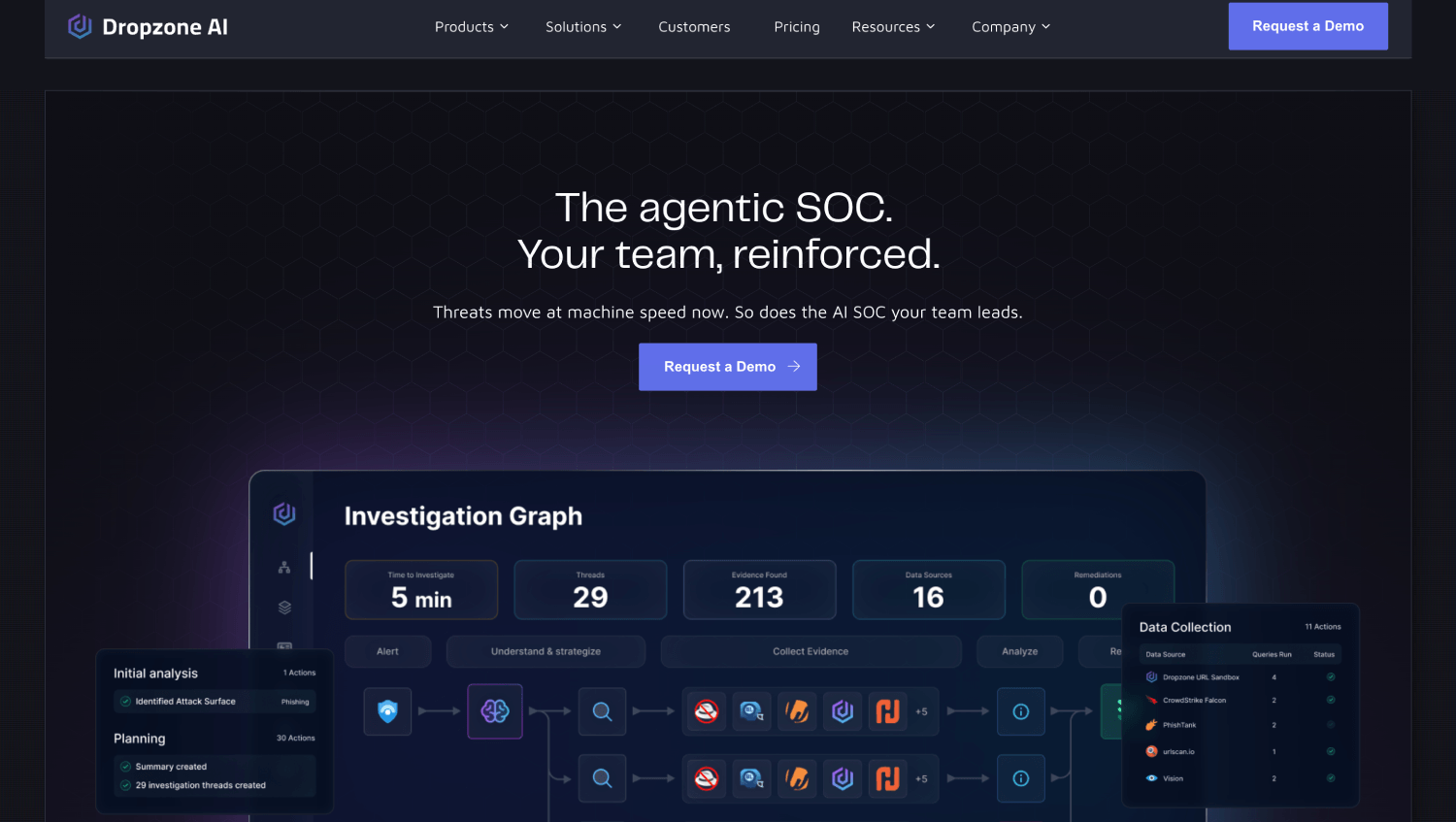
Dropzone AI positions itself as an autonomous SOC analyst that investigates alerts end to end without human handholding per case. Its Splunk integration supports both raw index queries via SPL and ES notable event ingestion. The agent can run a full investigation workflow: pull the alert, query for related user activity, check threat intelligence, correlate with endpoint data, and produce a written investigation report with a disposition recommendation.
The search load implication is significant. Because Dropzone runs actual SPL queries per investigation, teams on WBL should measure the query count per alert before scaling beyond a pilot. The advantage is that investigation depth is high: the agent is not limited to pre-attached notable event fields. The trade-off is that this depth has a search cost that scales with alert volume. Dropzone does not publish list pricing; quotes are per environment.
For teams that want genuine autonomous Tier-1 coverage, including phishing triage, endpoint alert investigation, and identity anomaly review, Dropzone is one of the more operationally capable options. The Splunk integration is documented and the company has published integration guidance. For more on how autonomous SOC tools perform at scale, the comparison of autonomous SOC platforms for lean security teams covers the broader category.
3. Prophet Security
Prophet Security takes a different architectural position: it trains on an organization’s own investigation history and analyst decision patterns, then applies that learned context to new alerts. The Splunk integration focuses primarily on the ES notable event queue. Prophet reads notable events and attached context, applies its reasoning model, and surfaces a disposition with an explanation written in the style of how that organization’s analysts have historically documented cases.
Because Prophet works primarily from the ES notable event queue rather than running ad hoc raw index searches, its Splunk search overhead is low. The trade-off is that investigation depth is bounded by the enrichment already present in the notable event. If a correlation search fires on a single field and the notable event has minimal context attached, Prophet’s investigation starts from the same limited base. Teams with well-designed correlation searches and rich notable event enrichment get the most out of this model. Prophet does not publish list pricing.
4. Radiant Security

Radiant Security positions itself as an AI SOC analyst layer with Splunk integration. Based on what the company describes on its website, its approach centers on AI-directed investigation where the model determines which additional queries are needed based on the initial alert context, rather than running a fixed query playbook for every alert type. Verify current integration capabilities and specific Splunk ES support directly with Radiant Security, as integration depth should be confirmed against your specific Splunk deployment model during a proof of concept.
For mid-market SOC teams running high notable event volumes, a conditional query model, where alerts that resolve quickly from initial context consume fewer queries than complex cases, has practical billing implications under WBL. Whether any given tool’s query approach actually reduces the bill versus a fixed-playbook alternative is a question worth testing in a pilot using Splunk’s Job Inspector. Radiant does not publish list pricing.
5. Intezer Analyze
Intezer Analyze is the tool on this list with the most distinct architecture relative to Splunk search cost. Intezer maintains its own data store for the telemetry and file analysis it processes, and its Splunk integration primarily works by receiving alerts and events rather than by querying Splunk indexes in real time. When an alert lands in Intezer, the platform enriches it using its own code analysis capabilities, threat intelligence, and investigation context, then sends results back to Splunk or generates a response action via SOAR.
For teams specifically concerned about Splunk search overhead, Intezer’s architecture is structurally the most favorable: additional investigations do not generate proportional SPL query load. The limitation is coverage scope. Intezer’s strength is file and malware analysis, endpoint alert triage, and phishing investigation. It is not designed to replace broad SIEM-layer detection logic. Teams that want an AI SOC layer primarily for endpoint and malware alert triage will find it fits well. Teams that want AI-driven correlation across network, identity, and endpoint telemetry need to look elsewhere or combine tools. Intezer does not publish list pricing.
For context on how AI security investigation platforms handle different evidence types, the overview of AI security investigation platforms covers the broader capability spectrum.
6. Torq
Torq is a hyperautomation platform for security rather than a dedicated AI SOC analyst tool, but it belongs on this list because its Splunk integration model is the most operationally transparent. Torq orchestrates security workflows and can execute SPL queries as explicit steps in a defined playbook. Because the queries are explicit and human-authored (or AI-assisted and human-reviewed), the search load is predictable and controllable. A team building a phishing triage workflow knows exactly which SPL queries fire, in which order, and can tune them.
The downside is that Torq requires detection engineering investment to build effective playbooks. It does not arrive with pre-trained investigation logic the way tools like Dropzone or Intezer do. For SOC teams with at least one detection engineer who can author and maintain playbook logic, Torq gives precise control over Splunk query cost. For lean teams with no engineering capacity, the setup burden is real. Torq integrates with Splunk ES and Splunk SOAR and supports SPL execution natively. Torq does not publish list pricing.
If your team is also thinking about how autonomous agent tooling should be governed before it touches production systems, the overview of AI agent security platforms is relevant context, particularly for teams deploying AI SOC agents with broad query and response permissions.
7. Qevlar AI
Qevlar AI builds what it describes as an AI security analyst that can investigate alerts autonomously and interact with an analyst through a conversational interface. The Splunk integration supports both ES notable event ingestion and direct SPL query execution. Qevlar’s model is designed to reason about which data it needs and query for it, rather than running a static enrichment set per alert type, which is similar in principle to the conditional query approach described for other tools on this list.
The conversational interface is operationally relevant: analysts can ask follow-up questions about an investigation and the AI will run additional Splunk queries to answer them. That interaction model is useful for Tier-2 analysts who want to delegate the tedious parts of an investigation while staying in control of the reasoning. The search load consequence is that analyst-driven follow-up queries add to the machine-generated query volume, so in active use by a large analyst team, the aggregate Splunk search load could be higher than in a fully autonomous mode with no analyst interaction. Qevlar does not publish list pricing.
8. Tines (as a Low-Overhead Orchestration Alternative)
Tines belongs at the end of this list as an honest alternative for teams whose actual problem is not AI-driven investigation but controlled, auditable Splunk query automation. Tines describes itself as a secure environment for AI agents, apps, and automation, and teams use it for security workflows including alert intake, triage, and remediation. In a Splunk context, Tines can be configured to include SPL query steps within automation workflows, send results to analysts, and trigger response actions, without adding an AI investigation reasoning layer. For teams that want to reduce manual alert triage without an AI reasoning engine and its associated query load, Tines offers a simpler cost model: the steps in a Tines workflow are explicit, versioned, and predictable. Verify specific Splunk integration capabilities against Tines’ current documentation before building a workflow dependency on them.
The trade-off against dedicated AI SOC tools is clear. Tines does not autonomously decide which evidence to gather; a human defines every step. For teams with mature detection engineering capacity and a specific, bounded automation problem, that is a feature. For teams that want the AI to direct its own investigation, Tines is the wrong tool. Tines publishes pricing on its website but pricing tiers vary by organization size and workflow volume; check the Tines pricing page for current details.
Which Tools Support Splunk ES Versus Raw Splunk, and Why It Matters for Your Budget
Splunk Enterprise Security adds a layer of pre-built correlation logic, the notable event data model, and a case management interface on top of raw Splunk. When an AI SOC tool integrates at the ES layer, it works with data that has already been searched, correlated, and enriched by ES correlation searches. The search cost for that enrichment has already been paid. When a tool integrates at the raw Splunk layer and runs its own SPL, it generates new search work for data that ES may have already processed.
Teams running ES should ask vendors specifically: does your integration read from the ES notable event queue, or does it re-query the raw index? The answer determines whether the integration adds to search load or largely reuses work already done. Several vendors support both modes, which means the choice is configurable but requires deliberate setup.
Teams running raw Splunk without ES have no notable event layer to work from. Every AI-driven investigation requires direct SPL execution, which puts the search load question front and center from day one. These environments get the most value from tools that batch queries, cache context, or maintain their own data stores.
How Does Splunk Licensing Type Change the AI SOC Integration Decision?
Splunk’s licensing has evolved and the specific model your organization is on shapes how much the search-load question matters.
Under ingest-based licensing, the primary cost variable is daily data volume ingested. Search activity does not directly change the license cost, but excessive search concurrency degrades performance for human users and can drive infrastructure cost increases for cloud-hosted deployments. The AI SOC search load issue here is operational rather than directly billing-driven.
Under Workload-Based Licensing, compute resources consumed by searches are the billing variable. High-frequency AI agent queries that run against raw indexes contribute directly to WBL consumption. This is where the search load calculation becomes a billing calculation. Teams on WBL should treat the Search Load Model described earlier in this article as a budget exercise, not just a capacity planning exercise.
Splunk Cloud pricing varies by tier and deployment model. Splunk does not publish list pricing for its cloud tiers, and quotes are per environment. If your organization is on Splunk Cloud, ask your account team specifically how the AI SOC tool’s search pattern will appear in your consumption reporting before signing an integration contract.
A Worked Scenario: What the Search Cost Looks Like in Practice
Consider a hypothetical enterprise security team: 1,800 employees, two AWS accounts, one Azure tenant, Splunk Enterprise Security with 150GB per day ingest under WBL, generating 400 ES notable events per day. The team has four SOC analysts and is evaluating an AI SOC tool to handle Tier-1 triage autonomously.
Scenario A: The tool integrates via ES notable event queue only, runs no additional SPL queries, and reaches a disposition from notable event fields plus an external threat intelligence lookup. Search load increase: near zero. The limitation is that 30% of alerts lack sufficient context in the notable event to reach a high-confidence disposition, so those route to human analysts anyway.
Scenario B: The tool executes six SPL queries per alert for full investigation depth. At 400 alerts per day, that is 2,400 additional searches per day. Assuming each search takes 10 seconds of compute on average and Splunk WBL calculates at the organization’s contracted rate per search-compute unit, the team needs to model how those 2,400 searches land against their WBL headroom. In some environments this is well inside existing capacity. In others, it is a meaningful overage risk.
Scenario C: The tool maintains its own data store populated via Splunk forwarder, investigates from its own copy of the data, and writes results back to ES. Search load on Splunk: near zero, the same as Scenario A, but with investigation depth closer to Scenario B because the tool has access to raw event data.
This scenario is intentionally illustrative and the right answer depends on your WBL contract, your search capacity baseline, and how heavily your existing correlation searches consume compute. The point is that the architectural question has a calculable financial dimension, and it should be calculated before the pilot, not discovered after.
Frequently Asked Questions
Does Splunk have its own AI SOC capabilities?
Yes. Splunk has built agentic AI capabilities into its platform, described on its AI product page as spanning alert triage, investigation guidance, detection building, and malware analysis. These capabilities operate natively within the Splunk and Splunk Enterprise Security environment. They are designed for teams already invested in the Splunk stack and do not require a separate AI platform. Splunk does not publish separate pricing for these features; they are bundled into platform licensing.
How do third-party AI SOC tools query Splunk without inflating search cost?
The most effective approaches are working from the ES notable event queue without running additional raw index searches, maintaining a secondary data store populated by a Splunk forwarder or data stream so investigations happen outside the Splunk search layer, or batching queries and running them against summary indexes rather than raw data. Tools that run ad hoc SPL queries per investigation at scale do add to Splunk search load, which matters most for teams on Workload-Based Licensing where compute consumption is the billing variable.
What is the difference between Splunk ES and raw Splunk for AI SOC integrations?
Splunk Enterprise Security adds a structured correlation and case management layer on top of raw Splunk indexes. When an AI SOC tool integrates with ES, it can work from the notable event queue, which contains pre-correlated and enriched data from ES correlation searches. That means the underlying search work has already been done. When a tool integrates with raw Splunk and runs its own SPL, it generates new search work. Teams running ES should ask vendors explicitly whether their integration uses the ES notable event queue or re-queries raw indexes, as the answer determines the additional search load the integration creates.
Which AI SOC tool has the lowest Splunk search overhead?
Intezer Analyze has the lowest Splunk search overhead of the tools covered here because it maintains its own data store and receives events via API or forwarder rather than querying Splunk indexes per investigation. Tools that work exclusively from the ES notable event queue without running additional SPL, such as Prophet Security in its default integration mode, also have low overhead. Tools that run full autonomous SPL investigations per alert, such as Dropzone AI and Qevlar AI, have higher search load that scales with alert volume.
Can AI SOC tools work with Splunk SOAR?
Several tools on this list integrate with Splunk SOAR (formerly Phantom), including Intezer, Torq, and Qevlar AI. Splunk’s own agentic AI integrates with SOAR natively. SOAR integration allows an AI SOC tool to trigger response actions, close tickets, or update case records in Splunk ES through the SOAR orchestration layer rather than directly, which can provide better audit trails and more controlled response execution. The integration depth varies by vendor and should be verified directly with the vendor for your specific SOAR version and playbook architecture.
What should I calculate before running an AI SOC pilot on Splunk?
Calculate the daily notable event or alert volume the AI tool will process, the number of SPL queries the tool runs per investigation, the data tier those queries target, and your current Splunk WBL or capacity headroom. Multiply alert volume by queries per alert to get daily search additions. Then check that number against your current search concurrency and WBL consumption baseline. If the tool’s vendor cannot tell you how many SPL queries it runs per investigation, count them yourself during a limited proof of concept using Splunk’s Job Inspector before scaling the deployment.
Are there AI SOC tools that work with Splunk but do not require Splunk ES?
Yes. Dropzone AI, Intezer Analyze, Torq, and Tines all support raw Splunk integrations that do not require Enterprise Security. Splunk ES adds a structured notable event layer that reduces investigation overhead for AI tools, but teams running raw Splunk can still integrate AI SOC tools via direct SPL execution, API-based event streaming, or the HTTP Event Collector. The absence of ES means the AI tool cannot rely on pre-correlated notable event data, so it must generate more of its own search context, which increases query load compared to an ES-integrated deployment.
The Architecture Decision That Shapes Everything Else
Every capability comparison between AI SOC tools for Splunk eventually reduces to one architectural question: where does the investigation data actually live when the AI agent runs a query? Tools that work from Splunk’s own pre-built enrichment pay little additional search cost. Tools that query raw indexes on every alert pay a cost that scales with alert volume and investigation depth. Tools that maintain their own data store pay an infrastructure cost elsewhere but keep Splunk search load predictable.
For security teams evaluating AI SOC analyst tools, the vendor demo almost never shows the Splunk Job Inspector running in the background. That is the screen worth watching. Running a two-week proof of concept, capturing search volume before and after the integration activates, and mapping the delta to your licensing model is more informative than any feature comparison.
The teams that handle this well treat the AI SOC integration as two separate procurement questions: the capability question (does this tool investigate alerts to the depth we need?) and the infrastructure question (what does it cost to run this many machine-generated searches against our Splunk deployment at our contracted rate?). Answering the second question before signing the first contract is the only move that avoids a surprise on month three’s WBL report. For broader context on how AI agents are being deployed in SOC environments and the governance considerations that come with them, the overview of AI SOC platforms covers the category without a Splunk-specific lens.